A simple daily to-do list for iPhone, iPad and Mac
mañana is a to-do list for today, not for ever. Write down what you’ll do today, move the rest to tomorrow, and decide again each morning. It’s free, with no account and no ads.
 Download on theApp StoreFree. No account, no ads.
Why a daily list works better than a backlog
Most to-do apps are built to remember everything. That’s useful until the list gets long. Old tasks roll forward, overdue badges pile up, and the list stops telling you what to do today. Many people end up keeping a second, real list on paper.
A daily list asks a smaller question: what will I actually do today? It’s short enough to finish, and finishing it feels like progress.
How a day goes in mañana
- Write down today. Add what you want to get done. Tick things off and they drop to the bottom. Long-press (or drag on Mac) to put things in order.
- Not happening? Swipe it to mañana. Swipe left to move a task to tomorrow, or right to delete it. On Mac, use a two-finger swipe or ⌘→.
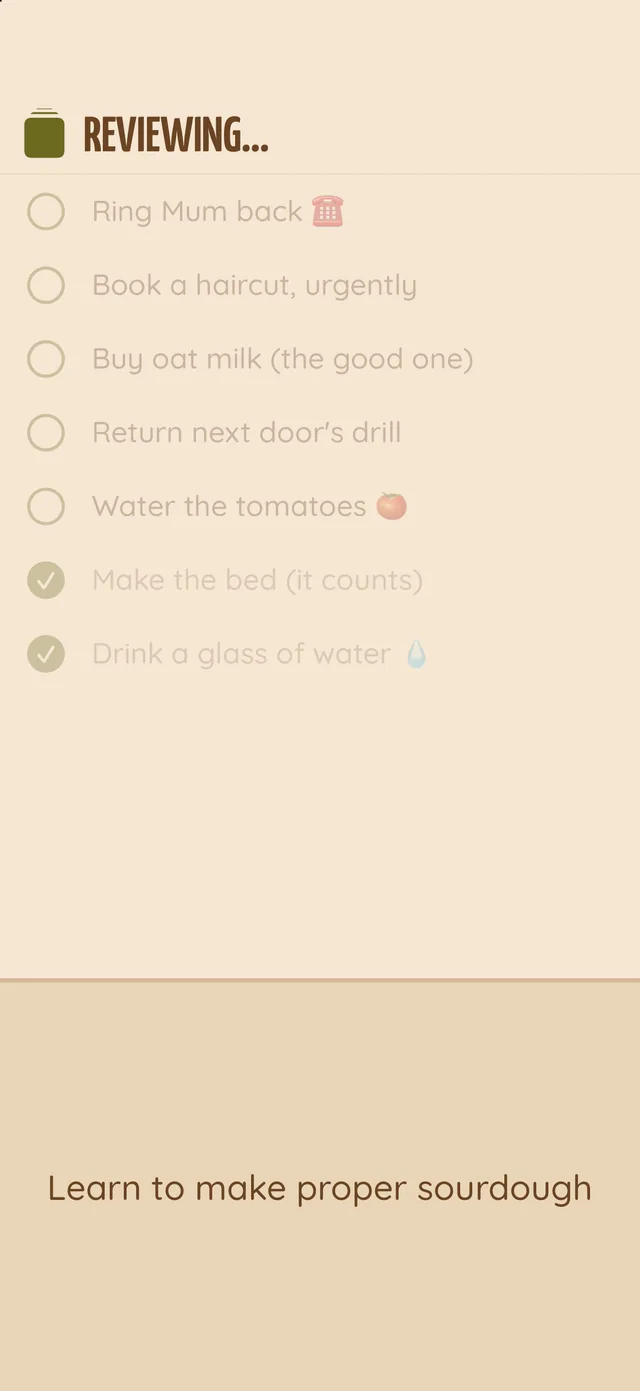
- Review in the morning. mañana shows yesterday’s postponed tasks one at a time. Swipe up to do it today, left to leave it for mañana, right to delete it, or down to finish the review.
How to handle unfinished tasks without building a backlog
The trick is to make putting something off a choice rather than something that happens by default. In mañana, a task you don’t finish doesn’t quietly become “overdue”. You move it to tomorrow on purpose, and tomorrow you look at it again.
Seeing the same task a few mornings running is useful information. Either it matters and you do it, or it doesn’t and you delete it. Both are fine. What you avoid is a list of hundreds of things you’ll never do.
Tips for a good daily list
- Keep it short. Five to seven things you can realistically do beats twenty you can’t.
- Write tasks as actions: “Ring the dentist” rather than “Dentist”.
- Put the one thing that matters most at the top.
- Be honest in the morning review. Deleting a task you’ve postponed for a week is progress too.
Is a daily list right for you?
A daily list suits personal tasks, errands and the small jobs that fill a day. It isn’t a calendar or a project planner. If you need a reminder at 3pm, use your phone’s Reminders or Calendar alongside it. If you manage projects with deadlines and colleagues, a project tool is the right place for those, and mañana can hold the bit you’re doing today.
On iPhone, iPad and Mac
mañana syncs through your own iCloud account, so the list on your iPhone is the same one on your iPad and Mac. On Mac it sits in a slim window or the menu bar, and ⌃~ adds a task from anywhere. On iPhone and iPad, Home Screen widgets let you tick things off without opening the app.
One day at a time.
Free on iPhone, iPad and Mac. No account, no ads, no tracking.
Download on theApp Store